


You can use your SODEW website for as long as you like under its original domain name, but we recommend moving to your own domain to truly make this part of the Internet your own.
Simply follow these steps:
- Log in to your website administration panel.
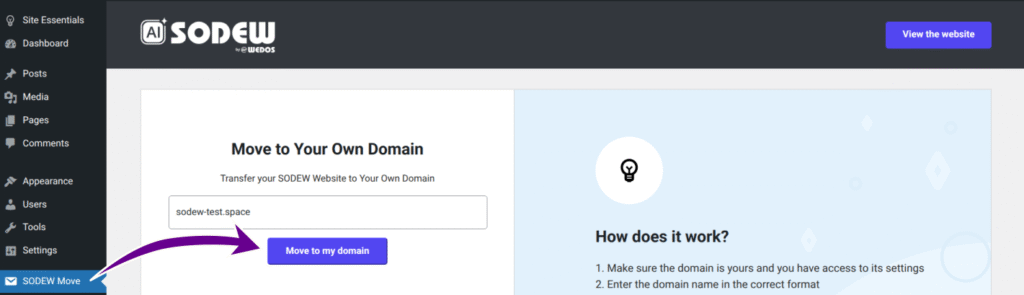
- In the left menu, select SODEW Move.
- Follow the on-screen instructions:
- Enter the name of your domain.
- Wait for the system to generate DNS settings.
- Enter the required DNS records with your domain’s DNS provider. The specific records will appear in a table which remains displayed until the records are set and propagated corretly. Depending on your DNS provider’s settings, this may take anywhere from several minutes to hours.
Once the move is complete, the system will log you out for security reasons. Log back in and note your new admin panel address, which will be your domain followed by /wp-admin/.
Protected by WEDOS
Once set up, your domain is directed to your SODEW service via WEDOS Protection proxy. This comes with the following benefits:
- Protected login and common cyber attack targets. When logging in, you may notice a Captcha or other challenge meant to keep your admin panel safe from bots. Other common targets include the files: .htaccess, xmlrpc.php, wp-config.php, wpad.dat, wp-admin/admin-ajax.php, and PHP files in wp-content and wp-includes folders.
- CDN caching. To reduce server load and speed up your website, static content is cached on the world-wide WEDOS Global network.